 Decorous
What is virtual staging? How it works, what it costs, and the rules
Virtual staging is adding furniture and decor to a photo of an empty room with software, instead of moving real furniture in. The house in the photo stays the same; only the furnishings are new.
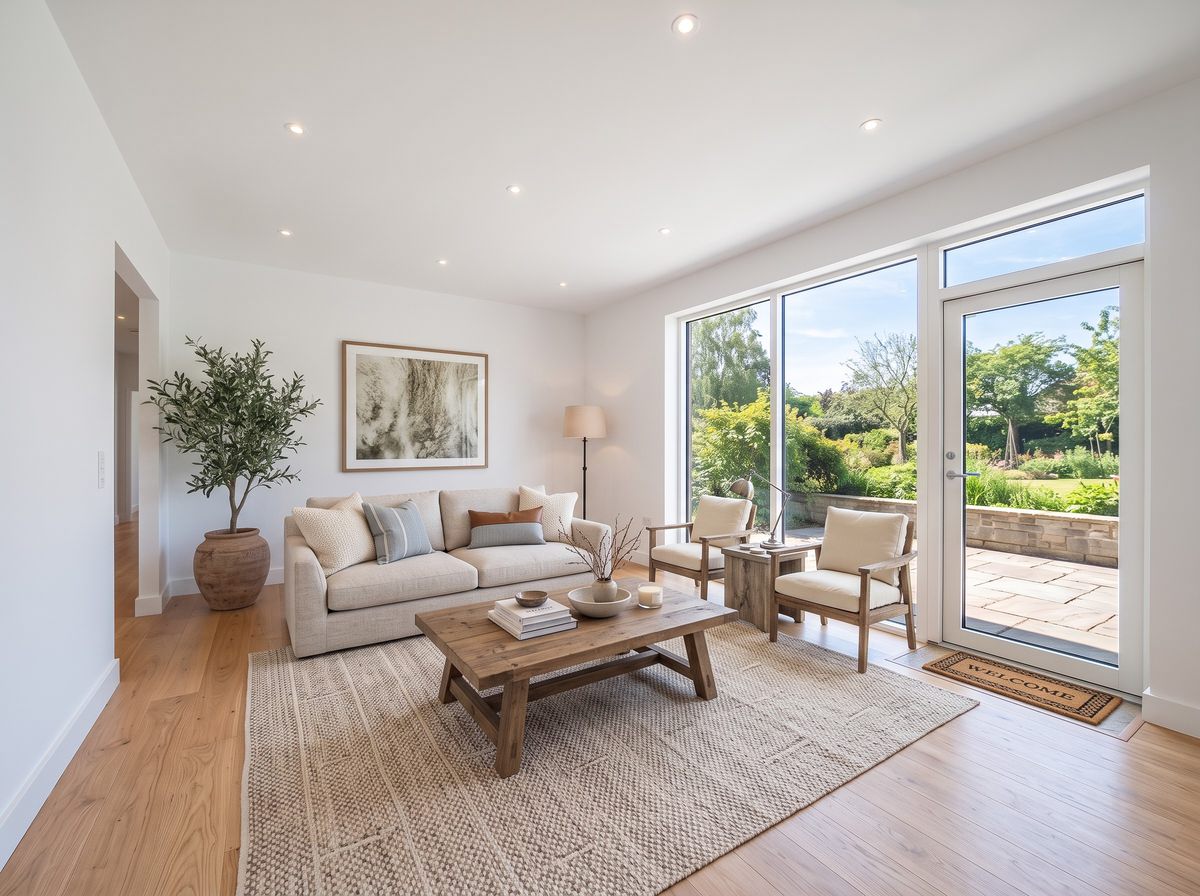
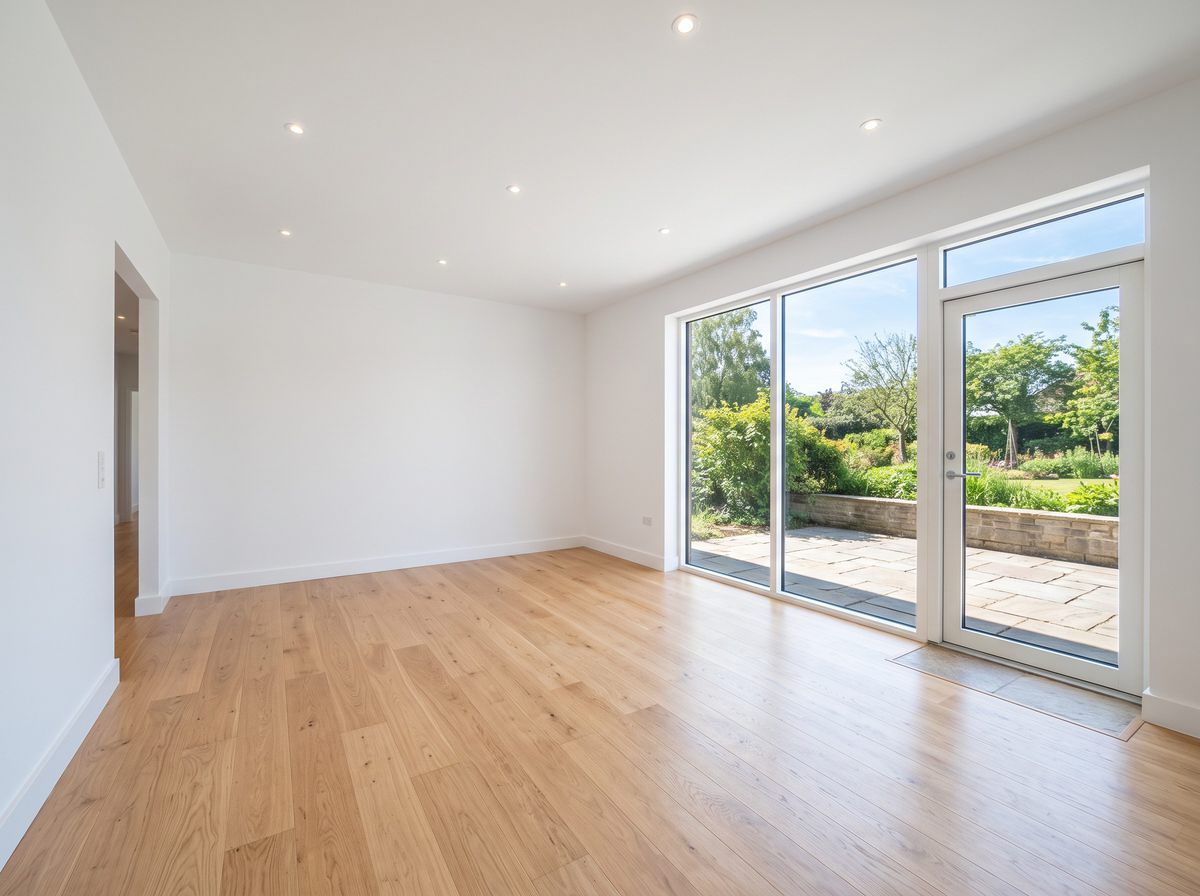
Why agents stage at all
Most buyers meet a home online first, and empty rooms look smaller, colder and harder to read in photos. A bed shows that a bedroom fits a queen. A sofa and rug show where the living room's seating goes. Staging gives the photo a sense of scale and use.
Physical staging does the same thing in person, which matters for showings. Virtual staging only changes the photos, so it's best for vacant homes listed online, rooms that are hard to furnish, or giving a seller an idea before they commit to the real thing.
How virtual staging works
There are two ways it gets done today.
- By a staging company. You upload photos, a designer places 3D furniture into each one, and you get the images back, usually within a day or two. You pay per photo, and revisions may cost extra.
- With an AI app. You pick the room type and a style, and an image model furnishes the room in seconds. You can try several styles, and you do it yourself. The trade-off is that you have to check each result: AI can get scale wrong, add odd objects, or alter a detail of the room.
Decorous is the second kind. It's told to keep walls, windows, doors, floors and the camera position exactly as they are and only add furnishings, and you can fix small things with a typed edit like "remove the plant".
What virtual staging costs
| Option | How it's priced | Typical turnaround |
|---|---|---|
| Physical staging | Furniture rental, delivery and setup, usually monthly. Often thousands of dollars for a vacant home. | Days to schedule |
| Virtual staging company | Per photo, commonly quoted at roughly $20 to $100 per image | About 1 to 2 days |
| AI staging app | A fraction of per-photo pricing | Seconds |
Prices vary a lot by company and market, so treat these as ballpark ranges and get a quote. Whichever you choose, the photo of the empty room still has to be good: staging can't fix a dark, crooked or blurry shot.
MLS disclosure rules
Virtual staging is legal. Misleading buyers isn't. The REALTOR Code of Ethics (Article 12) requires agents to present a true picture in their advertising, and most MLSs have specific photo rules on top of that. The common ones:
- Say that it's staged. Most MLSs require a note on, or next to, a virtually staged photo, such as "Virtually staged" in the image or the caption.
- Show the real room too. Some MLSs require the unstaged photo in the listing as well. It's a good idea everywhere.
- Change furniture, not the property. Don't remove or cover permanent features, damage, power lines or neighbouring buildings, and don't add features the home doesn't have, like a fireplace or a new floor.
- Edits count too. Removing furniture (decluttering) and repainting walls in a photo are often treated as digital edits that need the same disclosure.
Rules differ by MLS and state, and they change, so check your own MLS's photo policy before you upload.
Decorous can add a small "Virtually staged" label to every staged photo you save or share, and "Digitally edited" to decluttered ones, so the disclosure travels with the image when it's reposted.
Tips for staged photos that hold up
- Shoot the room empty, clean and in daylight, from a corner, with the phone level.
- Pick the room type the buyer expects. A small second bedroom staged as an office can undersell it.
- Stay neutral: Modern Farmhouse, Scandinavian and Contemporary suit most buyers.
- Check scale. A bed that's too small makes a room look bigger than it is, and buyers notice at the showing.
- Look over every detail before you save: windows, outlets, vents and doors should match the empty photo.
Staging a furnished home
If the seller's furniture is still in the room, clear it first. Declutter removes furniture from the photo, and you can stage the empty result in a neutral style. For the app side of all this, see virtual staging with Decorous.
Questions
What does virtual staging mean?
Adding furniture and decor to a photo of an empty room with software instead of moving real furniture in. The room itself (walls, windows, floors) should stay exactly as it is; only the furnishings are added.
Is virtual staging legal?
Yes. What isn't allowed is using it to hide or misrepresent the property, such as covering a damaged floor or painting over a crack. Most MLSs also require you to say that a photo is virtually staged.
How much does virtual staging cost?
Staging companies that do it by hand typically charge by the photo, often somewhere around $20 to $100 per image depending on turnaround and revisions. App-based staging like Decorous lets you do it yourself from your phone in seconds. Physical staging of a whole vacant home usually costs far more, because furniture has to be rented, moved and insured.
Should I include the empty photo too?
It's good practice and some MLSs require it. Showing the empty room next to the staged one tells buyers exactly what they're getting and heads off disappointment at the showing.